Wheria app icon Wheria
iPhone & Android · by uranashel

Parked in B2.
Forgot which pillar.

Apple and Google Maps give up the second you drive down past the parking gate. Two hours later you step off the elevator holding groceries, and levels B1 and B2 look identical. Wheria uses the barometer and motion sensors already inside your phone to track how many floors you dropped and which way you walked to the lift, so coming back is just following an arrow in reverse.

No account · Stays on your phone · No ads
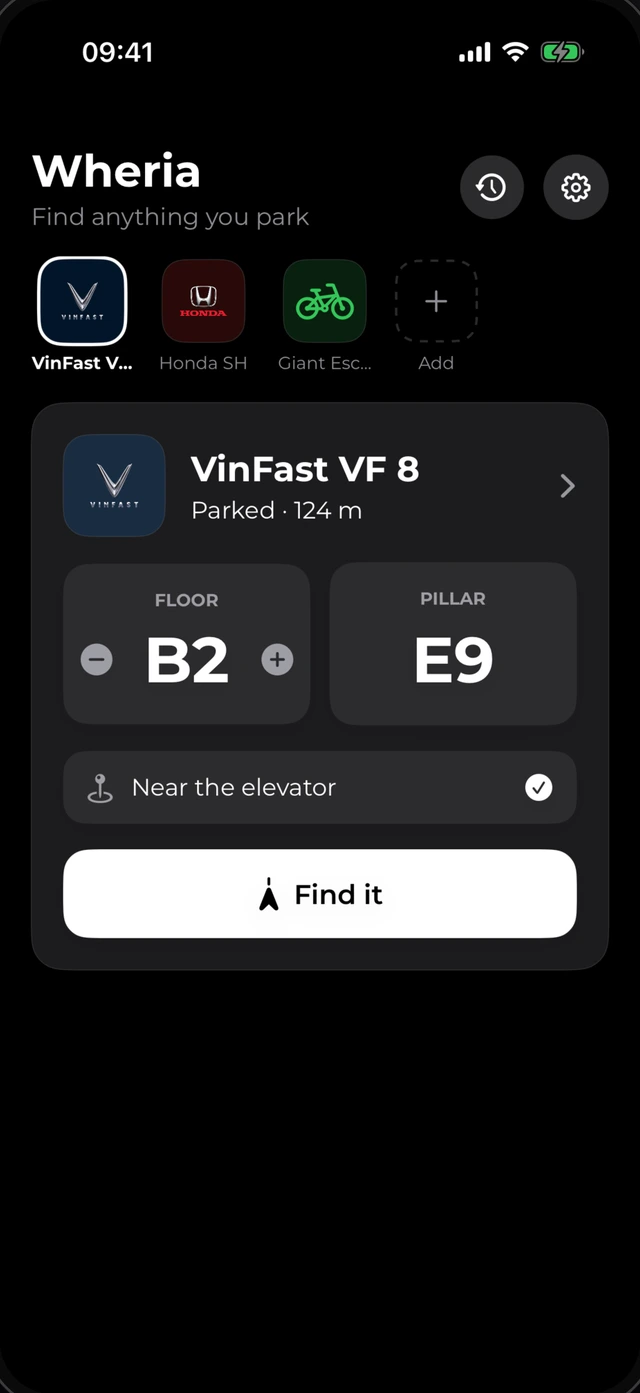
Wheria home screen showing Honda Civic parked on floor B2 at pillar E9, 124 meters away
Barometer floor deltaAir pressure drops a predictable amount per basement level, telling B1, B2, and B3 apart with zero signal.
Reverse step trackingRecords your walk from the car door to the elevator, then plays the direction back as an arrow.
Offline pillar & sign scanSnap pillar E9 or a street-cleaning sign to fill bay codes and schedule alerts right on your phone.
Try it here

What you look at when the elevator doors open.

Pick one of the everyday spots on the right and drag the slider to see how Wheria counts down meters and calls out the right floor.

H
Honda Civic
51K-482.19
No GPS · Baro + PDR
99
meters to your spot
↓ Go down 2 floors to B2
FloorB2
PillarE9
NoteNear the elevator

Pick a spot

Mall basement B2, two floors below the street

GPS dropped right at the ticket gate. Your phone felt the pressure drop down to B2 and counted 168 steps from the car door to the lift. Drag the slider below to walk back.

99 m
Elevator lobby Car door
Day-to-day flow

Nobody actually remembers to open a parking app when they’re rushing out of the car.

Wheria works around that: either hit one big button as you lock the door, or let it detect the moment you walk away.

One tap · Or automatic on disconnect

Save the spot mid-phone call with a kid on your hip.

Most parking apps get deleted after a week because nobody wants to stand in an active garage lane typing levels and notes while someone behind them waits to pull in.

  • 01Open Wheria and there’s one clear save button, plus quick + / - buttons if you ever want to nudge the floor label.
  • 02Or switch on auto-detection: it notices when driving turns into walking, or when your phone drops off your car’s Bluetooth or CarPlay — with checks so red lights and drive-throughs don’t trigger it.
  • 03It also grabs the last reliable outdoor GPS coordinate at the garage entrance alongside the local barometric pressure baseline.
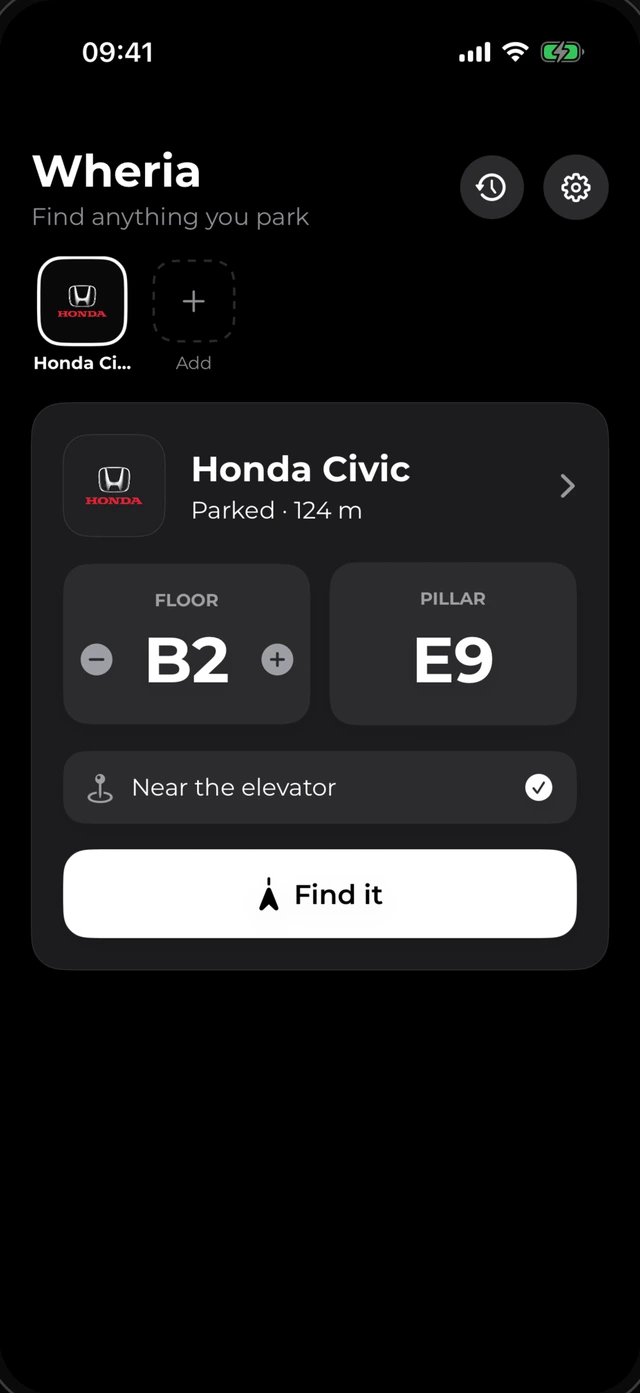
Wheria home screen saving Honda Civic at floor B2 pillar E9
Inside the app

No ads, no banners, no cluttered map chrome. Set in Nunito with 12pt rounded cards and tabular figures so nothing jumps around while you walk.

Wheria parked card
Parked card: floor B2, pillar E9, note near the elevator
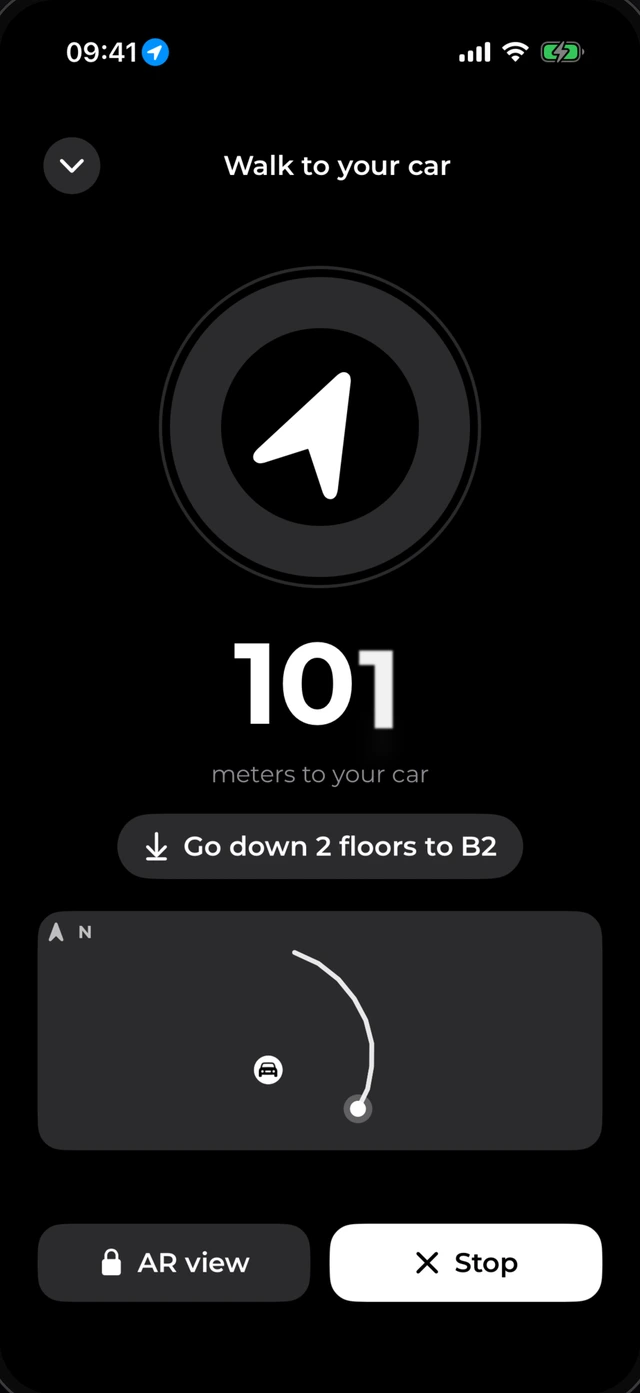
Wheria walk back screen
Compass arrow, meters left, floor delta, and breadcrumb trail
Wheria multi-vehicle garage
Cars, motorbikes, and bicycles each keep their own spot
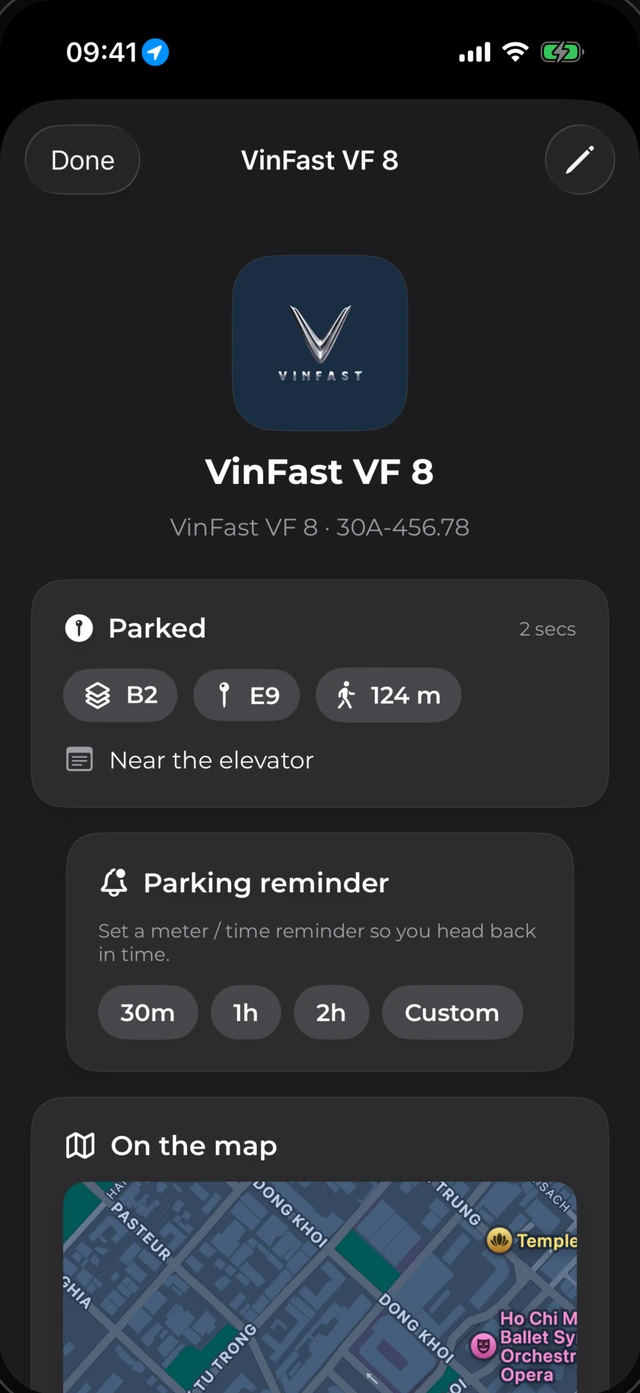
Wheria detail and meter timer
Parking timers, outdoor map, and one-tap share
Small details

A few quiet touches that make a difference in real lots.

Doesn’t trigger at red lights

The parking state machine tells stop-and-go traffic and drive-through queues apart from actually shutting down and walking away.

Parses EN & VI street signs

The on-device sign reader picks out weekday and time restrictions in English and Vietnamese so your reminder fires 30 minutes early.

Weather shifts don’t throw it off

Instead of absolute sea-level altitude, Wheria compares pressure relative to the baseline captured when you entered the garage.

30-second voice notes

Too dark or cold to type? Hold to record a quick spoken landmark attached right to that parking spot.

Siri & Action Button

Tie Wheria Shortcuts to your iPhone Action Button or ask Siri to save your spot without touching the screen.

Export or erase anytime

All spots, photos, and audio live in private device storage. Settings includes one-tap export and full data wipe.

Free & Premium

Finding your car underground is free; Premium is for multi-car garages and AR.

No sign-up wall and no trial card required up front. Local currency pricing shows inside the App Store and Google Play on your device.

Free
$0

Full GPS + barometer + compass guidance to get back to your car outdoors or underground.

  • Save and walk back with floor & compass guidance
  • Up to 2 vehicles or items
  • 3 free smart photo scans for pillars & street signs
  • Spot photos, notes, and voice memos
  • Last 5 parking spots in history
Get Wheria free
Download · Wheria 1.0

Put it on your phone before your next mall run.

Built natively in SwiftUI for iPhone and Jetpack Compose for Android so sensor polling stays responsive and gentle on battery.

Android APK Preview Android 8.0+ (API 26) v1.0.0 · 64.0 MB

Android

While Google Play review wraps up, you can grab the preview APK below to test barometric floor tracking, pillar OCR, and Bluetooth car-disconnect auto-park right away.

Download Android APK 64.0 MB ↓ Google Play · In review
SHA-256: 39a0126d25daf97c544edaa99e7cd2ea539c9f2f1e3fb0fd94b834ed9bca2afc
  1. Download Wheria-1.0.0-android-preview.apk and tap to install.
  2. Allow Location, Physical Activity, and optional Bluetooth if you want auto-save when leaving your car.
iOS 17+ iPhone & Live Activity App Store · In review

iPhone

Includes Dynamic Island, Live Activities, Siri Shortcuts, Lock Screen widgets, and Apple Vision on-device pillar scanning. Currently finishing App Store review.

  1. Want early iPhone access on TestFlight? Email uralab95@gmail.com with your iPhone model.
  2. Install and try it straight in any underground garage — no sign-in needed.
Questions

Things people usually ask before installing.

Run into a weird garage layout or want to send feedback? Email uralab95@gmail.com or check the Support tips →

Will automatic parking detection chew through battery?

No. Wheria never leaves GPS polling on in the background. It listens to low-power OS motion transitions (or car Bluetooth disconnect) and wakes up for just a few seconds when you finish driving.

What if my Android phone doesn’t have a barometer?

Step tracking, compass direction, photo/OCR scanning, and voice memos all work normally. You can set or adjust the floor anytime with the + / - buttons right on the card.

How does it point back to the car with zero GPS?

While you walk from your car door to the elevator, your phone’s motion sensors and magnetometer measure your stride and turns. When you come back out, Wheria reverses that path.

Does my parking history or home address go to any server?

No. There are no accounts, no servers, and no tracking SDKs. Everything lives inside your phone’s private storage, and you can export or wipe it anytime in Settings.

How do I restore Premium on a new phone?

Sign in with the same Apple ID or Google account you bought it on and tap Settings → Restore purchase inside the app.